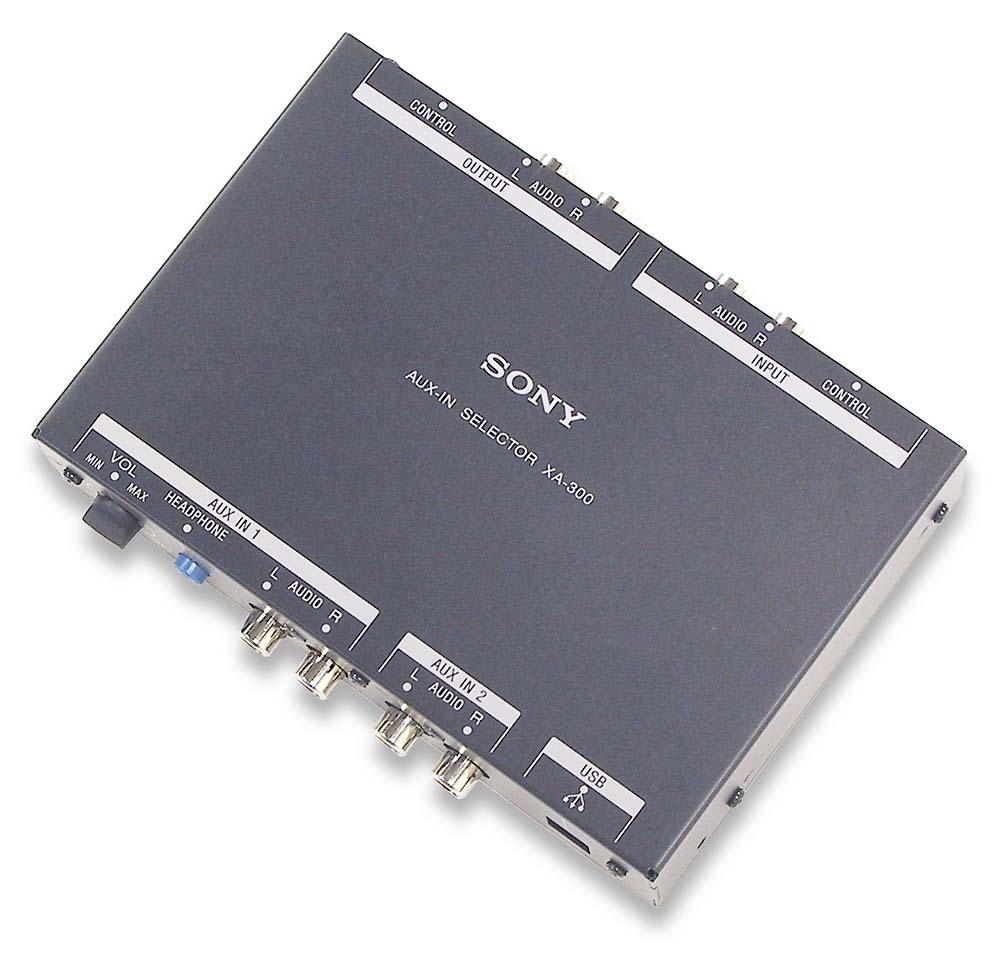
IN: LINE x 3 (RCA). OUT: headphone (1/8" phone jack), LINE (RCA - to head unit). USB: Input from PC. UniLink: Output (to Unilink head unit),
Input (from UniLink CD/MD changer)
5-15/16"W x 1-3/8"H x 7-1/8"D (with RCA plugs)
Description: Adapter allows up to two LINE level audio sources
and one USB source to be connected to Sony UniLink based in-dash
receivers (unit's USB input port can be connected to laptop computer
or other USB audio source). Unit is inserted in UniLink chain and
allows existing UniLink devices to continue to be used. Headphone
output (with volume control) permanently connected to AUX input
1. Unit is powered by the head-unit.
Crutchfield Page Excerpts:
USB Input: The USB input allows you to connect a laptop
computer to your car stereo system (USB cable not included) in order
to play MP3 files or other audio from the computer.
Selecting The Auxiliary Device: On the Sony changer
controller head unit, press "SOURCE" repeatedly until "CD" is
selected. Press "MODE" repeatedly until the device you want to listen
to is selected. The head unit will cycle through each unit in the
following order: CD1 (CD/MD changer) > CD2/AUX1 > CD3/AUX2 >
CD4/USB. When CD1 is selected, the CD/MD changer will automatically
start playing. When any other source is selected, playback of that
unit will have to be manually started and the volume adjusted. As the
volume settings of each connected device may differ, the volume of
each device should be set to a similar level as the CD/MD changer.
Headphone Output: A stereo mini-plug headphone output with
volume control is provided for the private listening of the auxiliary
source connected to the AUX IN 1 input. The headphone output is always
on, even if the head unit has selected one of the other sources. This
allows a passenger to listen to the AUX IN 1 source while the head
unit plays another source. (Headphone listening is not recommended
while operating the vehicle)