Sony MZ-N1/NetMD Impressions
Nick Riley
[email protected]
28 December 2001
General Comments
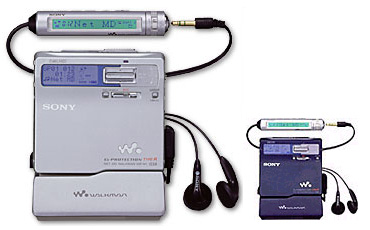
I have had the Sony MZ-N1 portable NetMD recorder and its associated OpenMG Jukebox Software for one week now (Randy from Japan-Direct.com personally delivered it to me in Adelaide Australia). Though I have been an MD user since late 1992, I am sad to report that NetMD is a major disappointment.As a portable Minidisc recorder the MZ-N1 is brilliant, it has all the bells and whistles you will ever need. OpenMG on the other hand is a joke. Before being transferred everything must be converted and saved to the local machine first* (a sure fire way to go through lots of hard disk space). *Sony's US software will provide QuickRip -- a way of transferring directly from a CD in your PC to MD without making intermediate files. -eaw
Naturally this makes NetMD a lot less useful, but what makes it even worse is that the highest ATRAC encoding quality available is LP2 mode! (i.e. 132kbps, ATRAC3). Though you can use the LP2 file to create a normal SP mode ATRAC recording on the Minidisc (thereby gaining compatibility with all MD equipment), the transfer to MD in this case proceeds at a shockingly slow rate.
But of course you do not have this problem when using LP2 files to make LP2 mode tracks -- in this case transfer is extremely quick -- a 5 minute song, once encoded, can be download at about 13x realtime (around 23 seconds). If you include the encoding step, the overall transfer still runs at over 4x realtime. I was impressed.
Software Operation
CD encoding and download
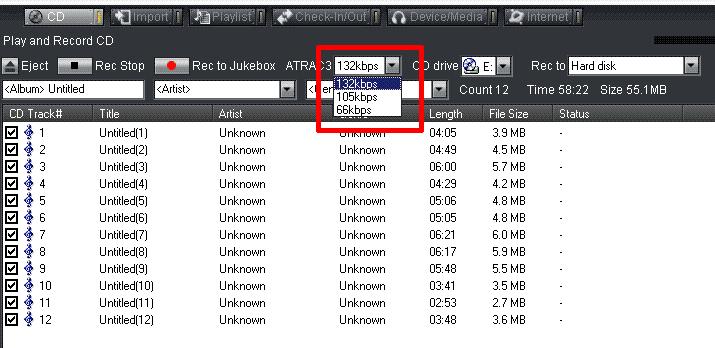
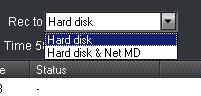
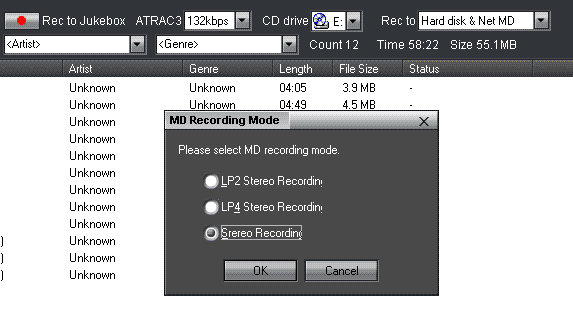
What follows is a sequence of screen shots showing the process of transferring an entire CD to Minidisc.
 |
 )
)
 |
 |
You should be able to get disc info from CDDB before you hit record and have it transfer the names at the same time, so far I have been unable to get this to work without OpenMG crashing.
When multiple tracks (from CD or MP3) are being transferred, their encoding and downloading is overlapped, meaning that once each song has been encoded, OpenMG will transfer it to the NetMD unit while simultaneously encoding the next file (they got that part right!). So to transfer the 58m22s album shown it took 10m16s from start to finish (i.e. running at nearly 6x), which is quite quick. It was encoded at 132kbps and transferred as LP2 (tranferring to SP mode tracks is much slower, running at about 1.3x overall). Since the bottleneck for the entire process is the encoding speed (see Performance section, below), encoding it at 66kbps and transferring it in LP4 mode took the same amount of time.
MP3 encoding and download
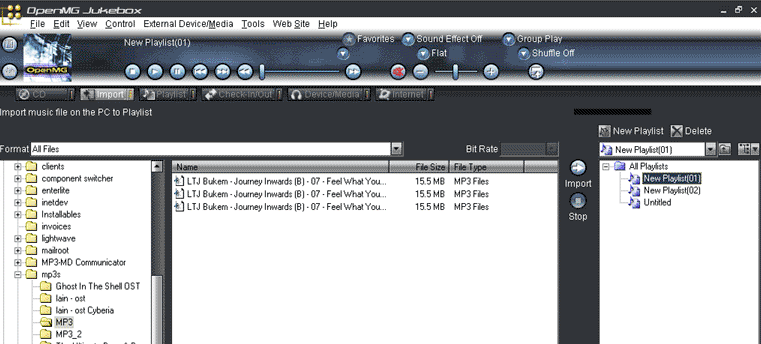
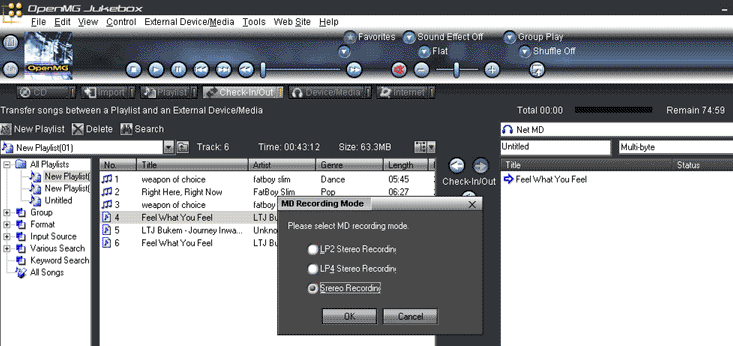
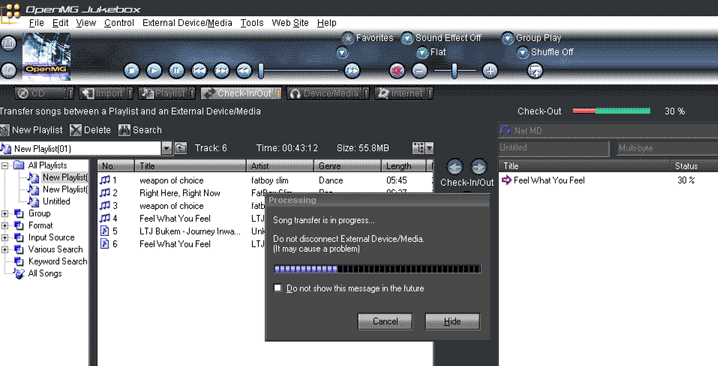
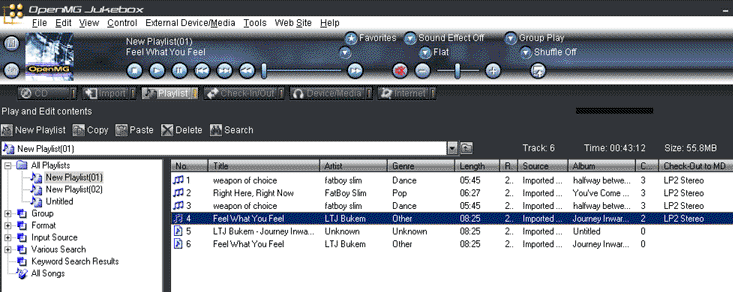
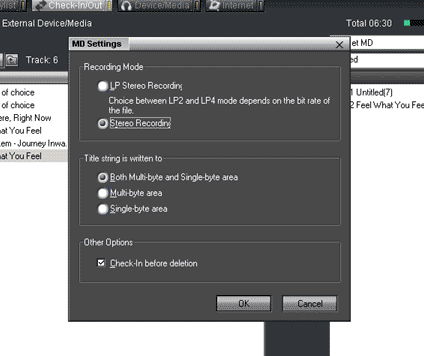
Here are screen shots showing the conversion and download of an MP3 song to Minidisc as an SP mode track. These clearly show that an SP recording is actually stored on your PC as an LP2 file.
 |
 |
 |
 |
 |
 |
Performance Experiments
Using a Sony Vaio FX770, PIII, 650MHZ, 192MB, Windows2000 machine, I was able to convert an 8m25s, 256kbps MP3 track to LP2 or LP4 in 85 seconds. That's a factor of 6x realtime for conversion. Downloading times for this song (both with and without conversion overhead) are shown below:
| ||||||||||||||||||||||||
|
Timings for conversion and transfer of a single CD track to Minidisc were identical to those obtained when the source was an MP3 file. Download speeds for CD and MP3 files will be limited by how fast the ATRAC3 conversion can be performed, so a PC's CPU power will directly effect the overall NetMD download speed.
Where Sony Missed the Boat
- There is no easy way of going from a CD in your PC to MD -- you must covert the track to LP2, save it on the hard drive and then do the transfer. As noted above, this is fixed with ``QuickRip'' in the US version.
- SP mode is poorly supported:
- Maximum SP mode download speed is 1.6x (!?)
- Even when creating SP mode tracks, the highest quality available in OpenMG is 132kbps LP2 (some of us really can hear the quality degradation in contrast to normal SP mode).
- There are no PC based MD editing functions! (Though the TRACK-MOVE and NAME/TITLE-IN functions are available).
- NetMD needs to support high speed Minidisc audio upload to PC, respecting the SCMS setting. Currently you cannot copy your personally made Minidisc recordings (e.g. live recordings, etc.) back to the PC in any manner with NetMD. Though Sony might reasonably restrict this function for SCMS copy-prohibited tracks, leaving this feature out altogether thwarts Minidisc's great strength over MP3 players as a peerless digital field recording format.
What Would Make it Better
- Provide CD and MP3 transfers to MD in any Minidisc encoding format (ATRAC-STEREO, ATRAC-MONO, ATRAC3 in LP2/LP4) with no middle file necessary.
- Provide a CDDB interface that works and does not crash OpenMG.
- Providing MD editing functions such as DIVIDE and JOIN, and even some features from the MDS-JB940 (e.g. FADE-IN and FADE-OUT) would be nice!
Summary
NetMD is perfect for those interested in Sony's Memory Stick Walkmans but wishing for something a little more cost effective. Minidisc gives you 160MB for a few dollars vs. at least $100 for a 128MB Memory Stick.Hopefully NetMD will someday live up to its delightful promise of a direct and complete computer interface to Minidisc that offers compelling benefits to MD enthusiasts. As of yet, NetMD is little more than a few features tacked onto OpenMG that allows Minidisc users to rock and roll with the Solid State MP3 player crowd.
If you have an MZ-R900 or MZ-R909 aleady, I would not be rushing out to get a NetMD unit.
Ratings
MZ-N1 9.5/10 OpenMG 2/10
Notes
- Files copied using OpenMG are digitally copy protected via SCMS and no further digital duplications can be made.
- This was the Japanese model Sony MZ-N1, but the OpenMG software that came with it runs in English. Though the installer for it is in Japanese, you only need to keep pressing "OK" if you can't make out the installation instructions. :-)
- A weird problem / issue is that from what I can make of the manual, when you play the track through OpenMG it should play through the speakers on your PC. So far I haven't had any luck with it, but it would be cool if it really can do that.
- When creating SP mode tracks from LP mode files, it is an open question whether the conversion to SP mode is done on the PC or inside the MZ-N1 unit.