Source: MiniDisc Wiki contributors · September 3, 2026 snapshot · CC BY 4.0, except where otherwise credited.
Attribution and changes
Adapted from “What to get”. Links, layout and file names normalized; missing database fields restored; remote embeds replaced with links. Manufacturer manuals and separately credited photographs retain their original attribution.
To start enjoying MD, you need a few things:
- MiniDisc recorder
- Power source
- Discs
- Cable for recording
- Audio output
See our Buyer's Guide for much more detailed equipment advice.
MiniDisc recorder
The biggest divide in MD is support for MDLP formats (covered in the Common Terms section) - MDLP does not need special discs, but it does need a device released after 2000 to record and play the tracks. If you want to store more audio per disc, avoid older SP mode devices. Hi-MD is not necessary and usually much more expensive.
Specific models
This guide does not list specific model recommendations. It would focus interest on a small number of devices that become more expensive. There are thousands of devices and limiting your search to just a few of them would miss out on great deals. It is better to let you know what you need to look for than to point you to a handful of devices with little regard for their availability or suitability.
Units to avoid
There are some units we advise against (for a beginner, at least.) These have flaws that others do not and that prove problematic.
Recorders vs players
MiniDisc is a recordable format, and most (but not all!) equipment was capable of recording to discs. In Japan (the largest market for MD) players were very common as they were cheaper and smaller than recorders.
Your first device should be a recorder. If you are only looking for a showpiece, to archive existing recordings, or to playback a small number of discs (such as releases from record labels) then a playback-only device will work - see Specific use cases for more.
The wiki page for a device will show if a device is a recorder or just a player, and some manufacturers' model numbers also suggest a device's class or features. Model naming is rarely consistent or logical, and changed over time. Sellers will often mislabel a recorder as a player or vice versa, so be cautious before purchasing.
NetMD portables
An easy recommendation for a first device is a NetMD portable recorder. These are early 2000s devices that can record music over a USB connection on any modern computer in SP or LP modes and have better battery life and sound quality than older devices. They were among the most popular devices in North America, but are in higher demand due to their convenient features.
Older recorders
Older devices should not be dismissed. Although you will need to record in real-time via dubbing, you still experience MD's great audio quality and advanced features such as titling and arranging tracks. The Buyer's Guide has more detail about the generations of portable recorders and which ones should be considered or avoided.
Decks, boomboxes, and bookshelf units
Because of their shipping costs and reduced flexibility, a static unit is not usually recommended as a first purchase. But if you only want to use MD at home then they can be a good choice. Be aware of AC power differences between different parts of the world (more on that in the Buyer's Guide.) Some decks and most boomboxes or bookshelf units can record to MD from CD without extra hardware or cables, sometimes faster than real-time.
Power source
Electronics need power. Sometimes this is simple, but it may not be depending on the model you buy, the bundled accessories and if it comes from overseas.
Batteries
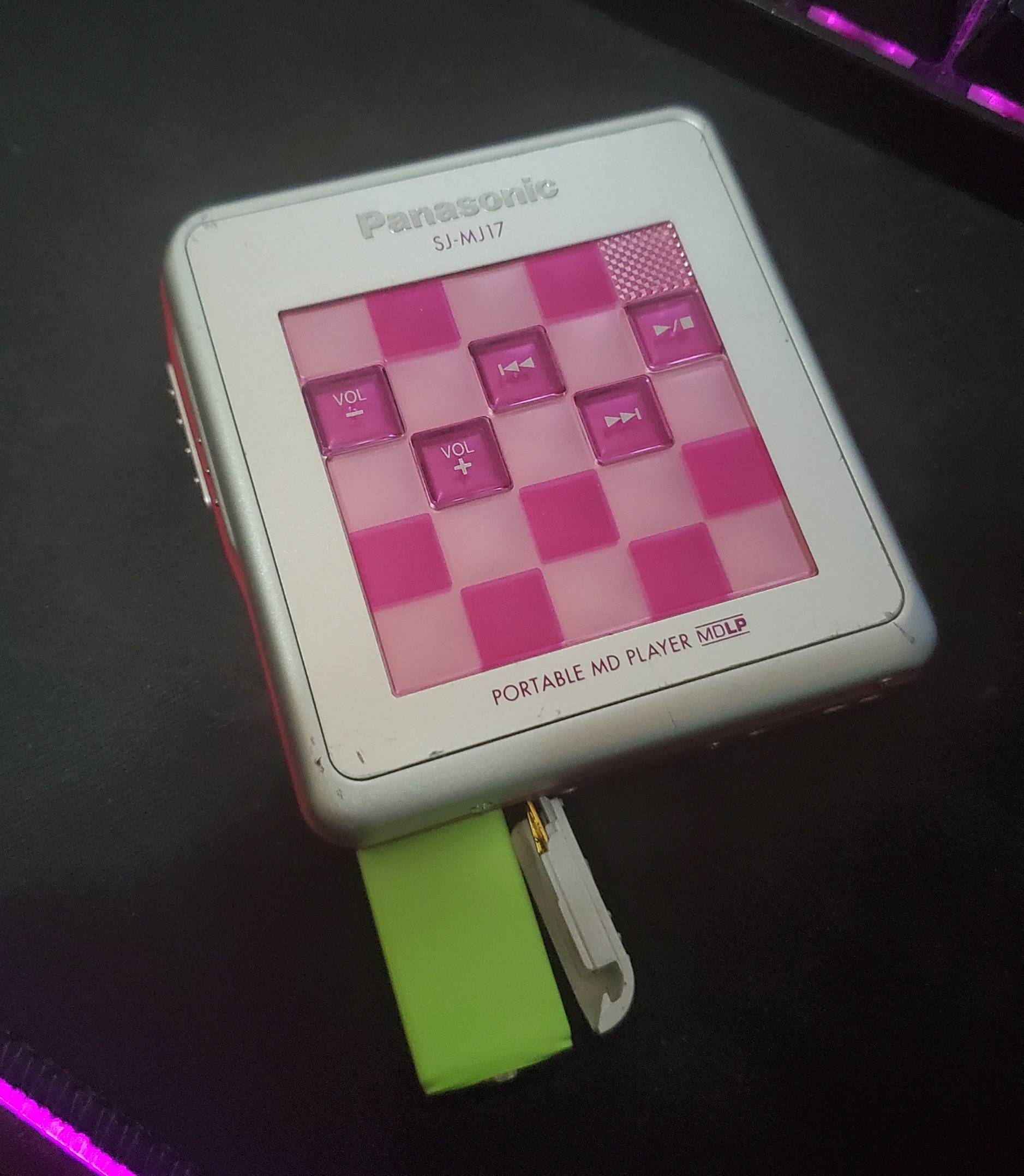 A Panasonic SJ-MJ17 showing the Gumstick battery.
The most common batteries are AA cells and the rechargable "gumstick" battery. Both of these are readily available.
Many other battery types were used, especially early in the format's life. Only some of these other battery types have modern replacements. Because batteries fail over time the original battery will not work well, if at all. If portable use is important to you, confirm the availability of replacement batteries before ordering a device.
Sidecars
Sidecars are accessories that attach to a portable and hold AA or AAA batteries. They were common, but are rarer now due to loss or damage. Unfortunately sidecars have limited compatibility between models and replacements are also hard to find. More information about sidecar compatibility here.
DC adapters
Most portable recorders can use a DC power adapter, and DC power is recommended during recording to save batteries. A multi-voltage, multi-tip adapter is easily found online, but be very careful to check the device's voltage and polarity before connecting. An original AC-DC power adapter may be for another region and voltage, so check before putting things into the wall.
Charging batteries
Most devices will charge an internal battery when connected to a DC power adapter (more on those below) but gumsticks can also be charged using common chargers that support 1.2V NiMH batteries.
AC power
Decks and bookshelf units use AC power. If ordering from abroad, make sure you have a voltage transformer and / or frequency changer as required.
Discs
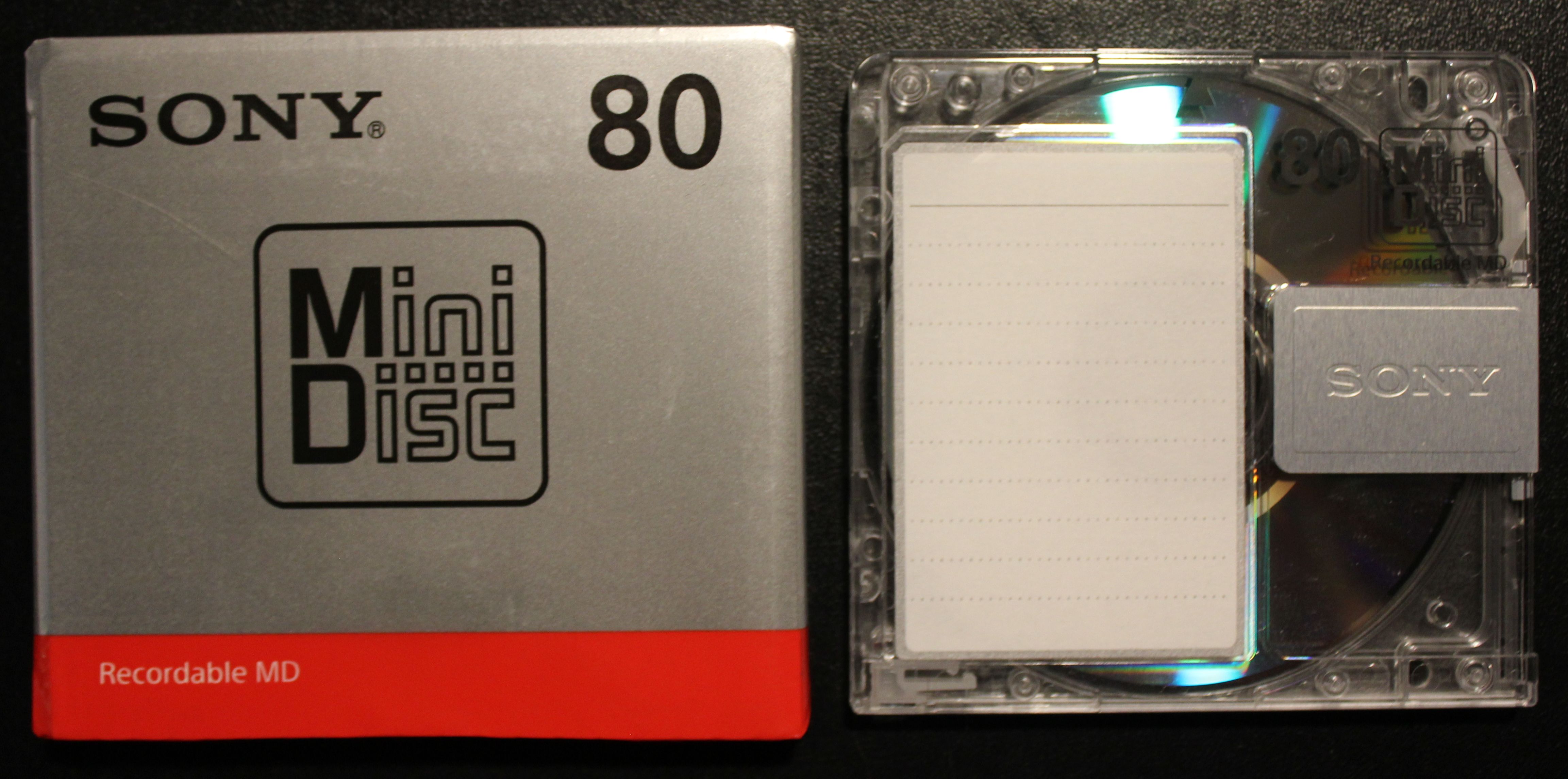 A Sony MDW80T blank disc, the last type sold new at retail.
MiniDisc is a recordable format, so be sure to get discs. Discs are re-recordable thousands of times and rarely fail. For used discs, you should aim to not pay more than US$2-3 per disc, or ~JPY100 from Japan in a lot. Brand new discs (MDW80T) were last sold at ~JPY240 each and should not cost more than US$5 when imported.
There is no audio quality difference between disc types. Some models (especially Maxell) have plastic shutter covers rather than metal, although reliability does not seem affected so far.
Collecting a number of different discs is part of the format's appeal. There are a great variety of colors, manufacturers, and styles. See our disc database to see a listing of discs of many different types and styles. Please help us by adding your own!
Recording cable
Unless your deck or bookshelf unit has a CD drive to copy audio from, you will need a cable of some type to connect to an audio source. 3.5mm, RCA, and TOSlink are the most common, but your needs will vary based on your other audio equipment.
See the dubbing guide for more detail about real time recording using analog or digital audio cables.
USB cable
For NetMD connections to a PC, most portables use a USB Mini-B cable while decks use a type-B ("printer") cable. However some models need a docking station or proprietary cable that is hard to find. As always, check the wiki page for a device before purchasing.
Audio output
An audio format is useless without something to play back the audio.
Portables (3.5mm)
A portable device will have a 3.5mm output for use with standard headphones or a 3.5mm to RCA adapter to connect to an amplifier. A tiny minority of devices, such as the Panasonic SJ-MR50, have a 2.5mm jack instead and will need their remote or a 2.5mm to 3.5mm adapter to use normal headphones and cables.
Decks (RCA and digital)
A deck will have RCA outputs, which can be converted to 3.5mm if needed. Many also have a digital output - either coaxial or optical Toslink for use with equipment like a DAC or home theater receiver. Many decks have 3.5mm or 1/4" headphone jacks on the front as well.
Boomboxes and bookshelf units
While a boombox has built-in speakers, a bookshelf unit has an amplifier for use with external speakers. Models such as the Sony LAM series have proprietary speaker connections that require the original speakers or a custom adapter. Most use standard red and black speaker cable compatible with any standard (non-powered) speakers.
These devices almost always have a 3.5mm headphone out jack, and many have RCA outputs labelled as "tape out" or "aux out".
Bluetooth adapters
3.5mm to Bluetooth audio adapters are a common way to use modern wireless headphones with a MD device. Read our Bluetooth transmitters article or search the /r/MiniDisc subreddit - there have been many discussions and recommendations, so please don't create new posts without first contacting the mod team.